
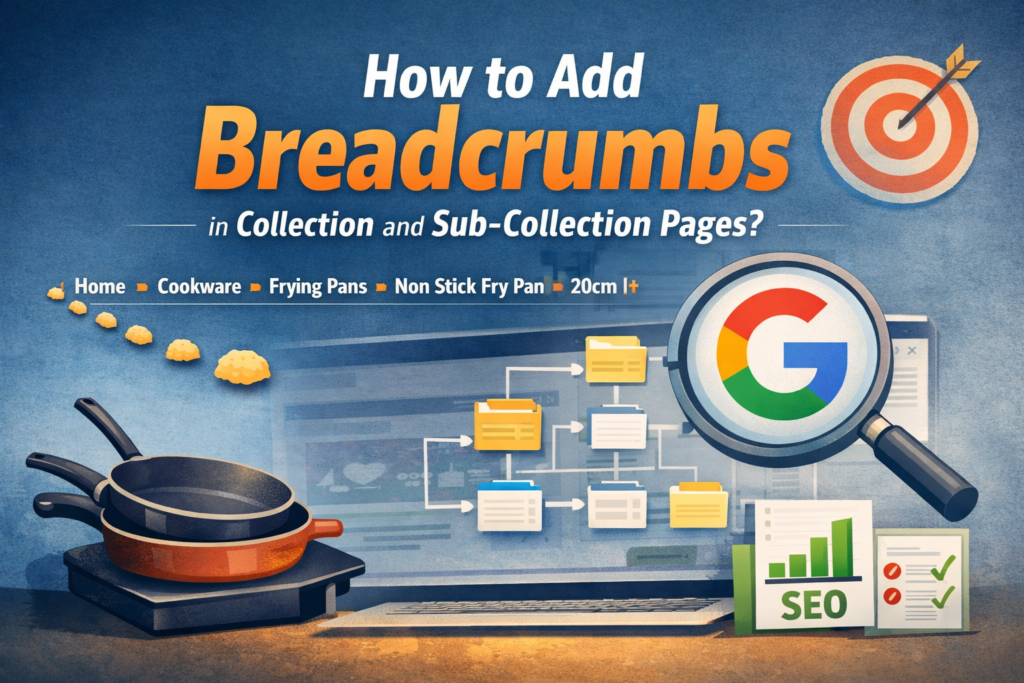
Breadcrumb navigation is a simple but powerful feature that improves both user experience and search engine understanding of your website structure. For eCommerce stores with multiple collection layers, breadcrumbs help visitors clearly see where they are within the site hierarchy and easily navigate back to broader categories.
In this guide, we explain how breadcrumbs work for collection and sub-collection pages, how they should be structured, and why they are important for SEO, EEAT signals, and LLM search visibility.
What Are Breadcrumbs in eCommerce Navigation?
Breadcrumbs are a secondary navigation system that displays the path a user has taken to reach a page. Instead of relying only on menus, breadcrumbs visually show the hierarchy of the website and help users understand how different pages are connected.
For example, a cookware store might structure breadcrumb navigation like this:
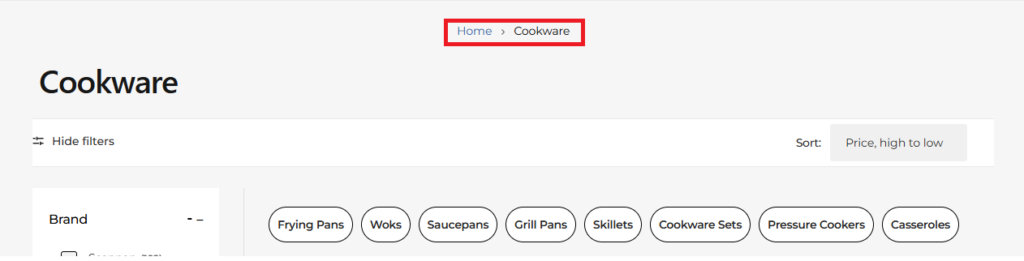
Parent Collection
Home > Cookware
At this level, the user enters the main product category. Parent collections group related products together and signal to search engines that multiple sub-categories belong to a broader topic.
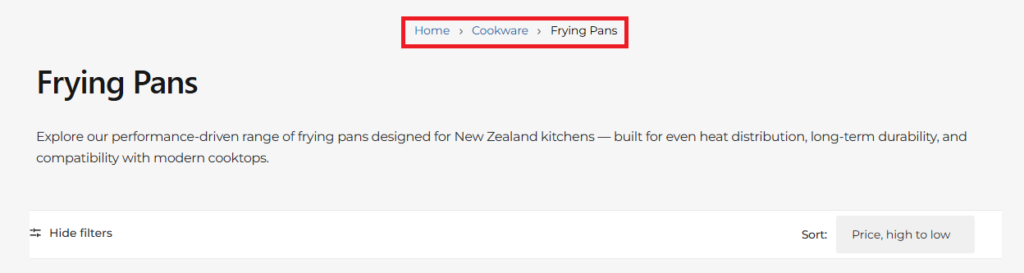
Sub Collection Level 1
Home > Cookware > Frying Pans
This page represents a sub-category within cookware. Structuring collections this way helps users refine their browsing based on product type and helps search engines understand the relationship between product categories.
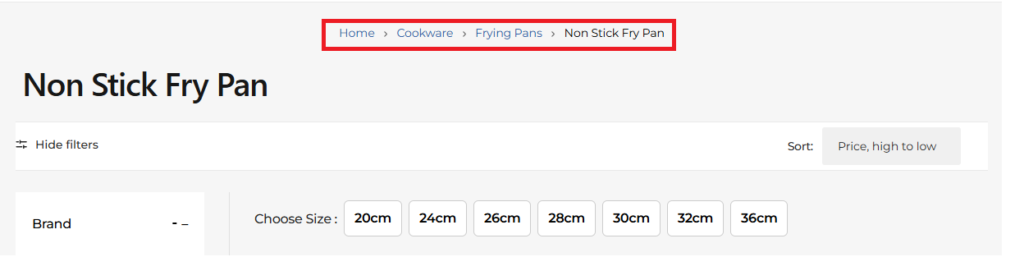
Sub Collection Level 2
Home > Cookware > Frying Pans > Non Stick Fry Pan
This layer becomes more specific, guiding customers to a particular product type or feature such as non-stick cookware.
Sub Collection Level 3
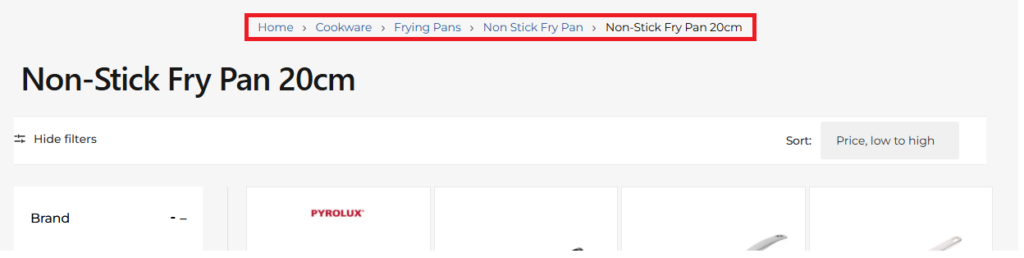
Home > Cookware > Frying Pans > Non Stick Fry Pan > Non Stick Fry Pan 20cm
At this level the breadcrumb path may lead to a specific product or size variation. It allows customers to clearly understand where the item sits within the store hierarchy.
Why Breadcrumbs Are Important for SEO and EEAT
Breadcrumb navigation is not only useful for visitors but also plays a role in technical SEO and site authority signals. Search engines analyse breadcrumb links to understand how pages are structured within a website.
When implemented correctly, breadcrumbs can appear in Google search results, replacing long URLs with a cleaner category path.
From an EEAT (Experience, Expertise, Authoritativeness, Trustworthiness) perspective, a well-structured navigation system signals that the website is organised and trustworthy.
How Breadcrumbs Help Google Understand Site Structure
Google’s crawlers use internal links to map how pages relate to each other. Breadcrumbs create a structured chain of links connecting parent categories with deeper pages.
Home → Cookware → Frying Pans → Non Stick Fry Pan → Non Stick Fry Pan 20cm
- Cookware is a main category
- Frying Pans is a sub-category
- Non Stick Fry Pan represents a specialised product type
- Non Stick Fry Pan 20cm is a specific product variation
This structure improves crawl efficiency, strengthens internal linking, and helps Google understand the overall architecture of the site.
Benefits for Users and Search Visibility
- Improved navigation: Visitors can easily move back to broader categories.
- Better shopping experience: Customers can explore related collections quickly.
- Stronger internal linking: Breadcrumbs connect category pages logically.
- Enhanced search appearance: Google may show breadcrumb paths in search results.
- Clear category hierarchy: Helps search engines understand your store structure.
Best Practices for Implementing Breadcrumbs
- Always start breadcrumbs with Home
- Maintain a clear parent → child category structure
- Ensure each breadcrumb level links to its category page
- Use Schema.org BreadcrumbList structured data
- Keep category naming consistent across navigation
Example breadcrumb structure:
Home → Cookware → Frying Pans → Non Stick Fry Pan → Non Stick Fry Pan 20cm
Steps to Add Breadcrumbs in Collection Pages
-
Create a Metafield for Collections
First, create a metafield for collection pages. This metafield will store the parent collection information so the breadcrumb navigation can display the correct hierarchy between collections and sub-collections. -
Assign the Parent Collection in the Collection Editor
After creating the metafield, open each collection page in the collection editor and assign its parent collection. This allows you to define the hierarchy between collections so the breadcrumb path can be generated correctly. -
Add Breadcrumb Liquid Code to the Collection Page
Once the parent collections are assigned, add the breadcrumb Liquid code to the collection page template so the breadcrumb navigation appears automatically on collection pages. -
Add Breadcrumb Schema Markup
Include Schema.org BreadcrumbList structured data using Liquid. This helps search engines understand the breadcrumb structure and improves the chances of breadcrumb navigation appearing in search results. -
Verify the Breadcrumb Structure
After implementing the code, review the collection pages to ensure the breadcrumb navigation displays correctly and follows the intended category hierarchy. -
Check the Correct Theme File
The file name may vary depending on your Shopify theme. Always confirm the correct template file based on your theme structur.
Conclusion
Breadcrumb navigation may seem like a small feature, but it plays a significant role in improving site usability, internal linking, and search engine understanding.
For eCommerce stores with layered categories and collections, breadcrumbs help organise content logically and guide visitors through the shopping journey while helping Google interpret category relationships more effectively.