
Migrating from WooCommerce to Shopify is a strategic move for businesses looking for a more stable, scalable, and easy-to-manage eCommerce platform. With proper planning, you can transfer your store without losing data, SEO rankings, or customer experience.
Why Move from WooCommerce to Shopify?
- Easy store management without technical maintenance
- Reliable hosting with better performance and speed
- Built-in security and SSL protection
- Scalable platform suitable for growing product catalogues
If managing plugins, updates, and hosting feels overwhelming, Shopify simplifies the entire process.
Step 1: Create Your Shopify Store
Start by setting up your Shopify store and selecting a professional theme. A well-designed theme reduces redesign work and ensures a smooth transition.
- Choose a clean, responsive theme
- Match your existing WooCommerce layout if possible
- Focus on user experience and navigation
Step 2: Export All Products from WooCommerce
Export your complete product data from WooCommerce in CSV format.
- Go to WooCommerce → Products → Export
- Include titles, descriptions, prices, SKUs, and images
- Clean and organise your data before importing
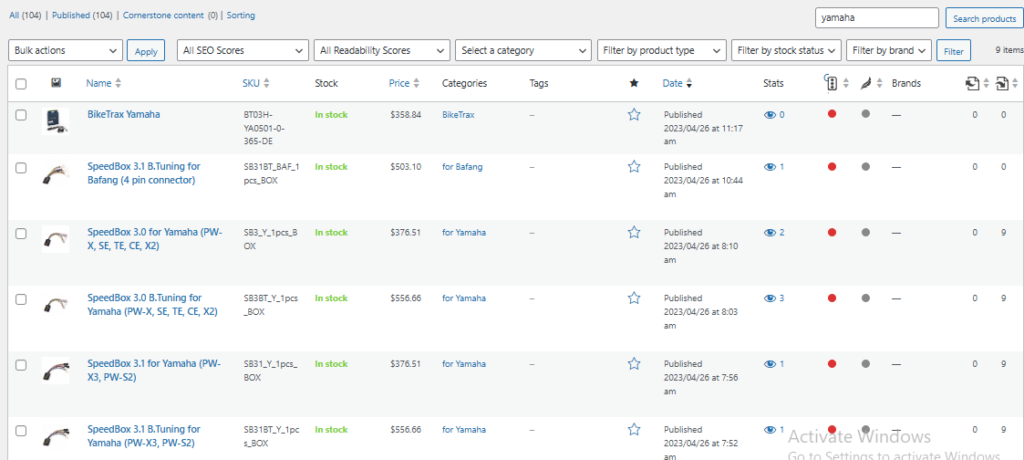
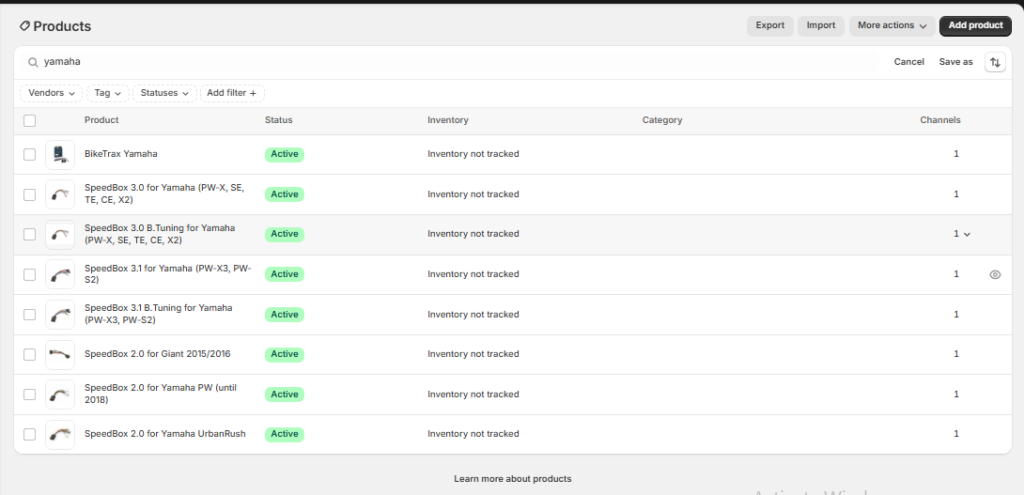
Step 3: Import Products into Shopify
You can import products manually or use migration tools.
- Upload CSV via Shopify Admin → Products → Import
- Use apps like Store Importer or Matrixify for full migration
- Test with a small batch before full import
Wocommerce Products
Shopify Products
Step 4: Create Collections (Categories & Brands)
Shopify uses collections instead of categories. Recreate your structure carefully.
- Convert WooCommerce categories into collections
- Create brand-based collections if needed
- Use automated filters for better organisation
Step 5: Build Header & Footer Navigation
Recreate your website navigation to maintain usability and structure.
- Header: main menu, search, cart
- Footer: policies, contact, important links
- Keep navigation clean and user-friendly
Step 6: Fix Product & Collection Page Design
After importing products, optimise your pages for better conversion.
- Improve product descriptions and layout
- Ensure images display correctly
- Optimise collection pages with SEO content
Step 7: Create Essential Pages
- About Us
- Contact Page
- Shipping Policy
- Returns & Refund Policy
- Privacy Policy
- Sitemap
Step 8: Maintain SEO During Migration
Protect your rankings by setting up proper SEO structure.
- Create 301 redirects from old WooCommerce URLs
- Keep meta titles and descriptions
- Submit sitemap to Google Search Console
Step 9: Test Before Launch
Before going live, test your entire store carefully.
- Check product pages and checkout process
- Test mobile responsiveness
- Fix broken links and errors
Final Thoughts
Moving from WooCommerce to Shopify is a valuable upgrade for your business. With the right steps, you can improve performance, simplify management, and create a better shopping experience for your customers.
Take your time, follow the process carefully, and focus on maintaining both usability and SEO.