
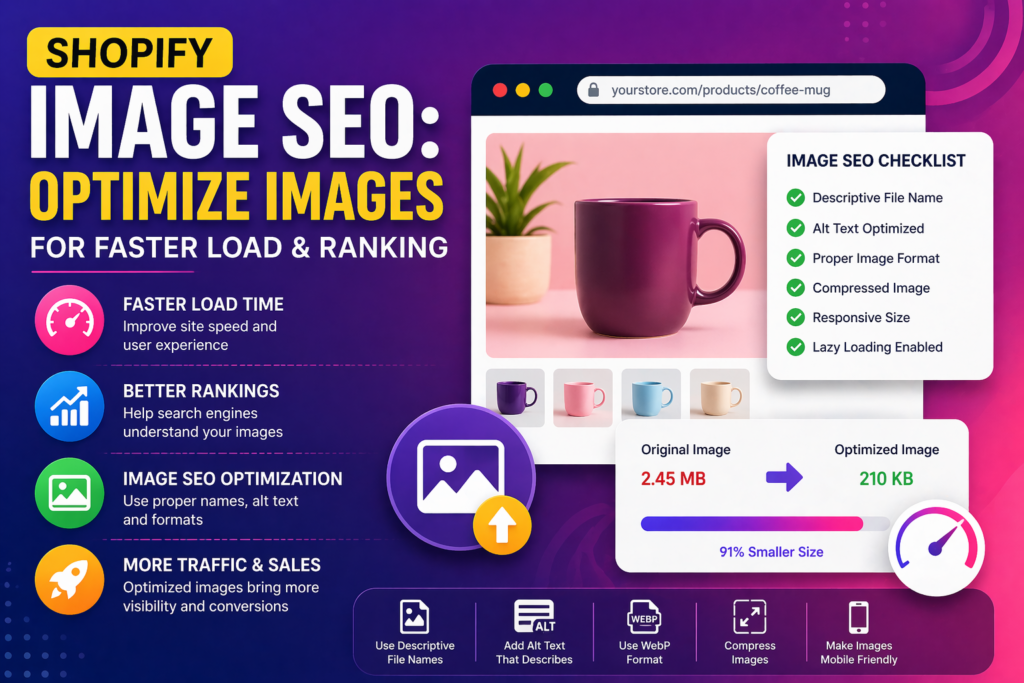
Images are essential for any Shopify store, but if not optimized properly, they can slow down your website and hurt your search rankings. Image SEO is not just about visuals—it directly impacts page speed, user experience, and how search engines understand your content.
This guide explains how to optimize Shopify images effectively to improve loading speed, enhance SEO, and increase visibility in search results.
Why Image SEO Matters for Shopify
Optimized images help both users and search engines. Faster-loading visuals improve engagement, while properly structured images support better indexing.
- Improves page load speed
- Enhances user experience
- Boosts search rankings
- Increases chances of appearing in image search
Common Image SEO Mistakes
Many Shopify stores lose performance due to simple image-related mistakes.
- Uploading large, uncompressed images
- Using generic file names like IMG_1234.jpg
- Missing alt text
- Using incorrect image formats
- Not resizing images before upload
Step 1: Use Proper Image File Names
Search engines use file names to understand image content.
- Use descriptive, keyword-rich names
- Separate words with hyphens
- Avoid random numbers or codes
Example: stainless-steel-frying-pan.jpg instead of IMG_4587.jpg
Step 2: Compress Images Before Upload
Large images significantly slow down your Shopify store.
- Reduce file size without losing quality
- Use compression tools before uploading
- Aim for optimized balance between quality and size
Step 3: Choose the Right Image Format
Different formats serve different purposes.
- JPEG: Best for product photos
- PNG: Good for transparent images
- WebP: Modern format with better compression
Using the correct format improves both speed and quality.
Step 4: Add Alt Text for Every Image
Alt text helps search engines understand images and improves accessibility.
- Describe the image clearly
- Include relevant keywords naturally
- Avoid keyword stuffing
Example: “non-stick frying pan with ergonomic handle”
Step 5: Resize Images to Proper Dimensions
Uploading oversized images wastes bandwidth and slows down loading.
- Match image size with display size
- Avoid uploading full-resolution images unnecessarily
- Maintain consistent dimensions across products
Step 6: Enable Lazy Loading
Lazy loading ensures images load only when needed.
- Improves initial page load speed
- Reduces unnecessary data usage
- Enhances mobile performance
Step 7: Optimize Image Placement
Where and how images are used also affects performance.
- Avoid excessive images on one page
- Prioritize important visuals above the fold
- Use thumbnails for product grids
Step 8: Use Content Delivery Network (CDN)
Shopify automatically uses a CDN to deliver images faster worldwide.
- Ensures faster loading across locations
- Reduces server load
- Improves global performance
Step 9: Monitor Image Performance
Regular testing helps identify issues and improvement areas.
- Check page speed performance
- Identify large or slow-loading images
- Update and optimize images periodically
Common Mistakes to Avoid
- Ignoring alt text completely
- Uploading high-resolution images without compression
- Using inconsistent image sizes
- Overloading pages with too many visuals
- Not testing performance regularly
Conclusion
Image SEO is a critical part of Shopify optimization that directly affects speed, rankings, and user experience. By focusing on proper file naming, compression, formatting, and structured implementation, you can significantly improve your store’s performance.
Consistent optimization ensures faster load times, better engagement, and improved visibility in search results.
Frequently Asked Questions
Does image optimization improve Shopify SEO?
Yes, optimized images improve page speed and help search engines understand content better, which supports SEO.
What is the best image format for Shopify?
JPEG is commonly used for product images, while WebP offers better compression and performance.
How large should Shopify images be?
Images should match display size and be compressed to reduce file size without losing quality.
Is alt text important for images?
Yes, alt text helps search engines understand images and improves accessibility for users.
Can large images slow down Shopify stores?
Yes, large images increase load time and negatively impact both SEO and user experience.