
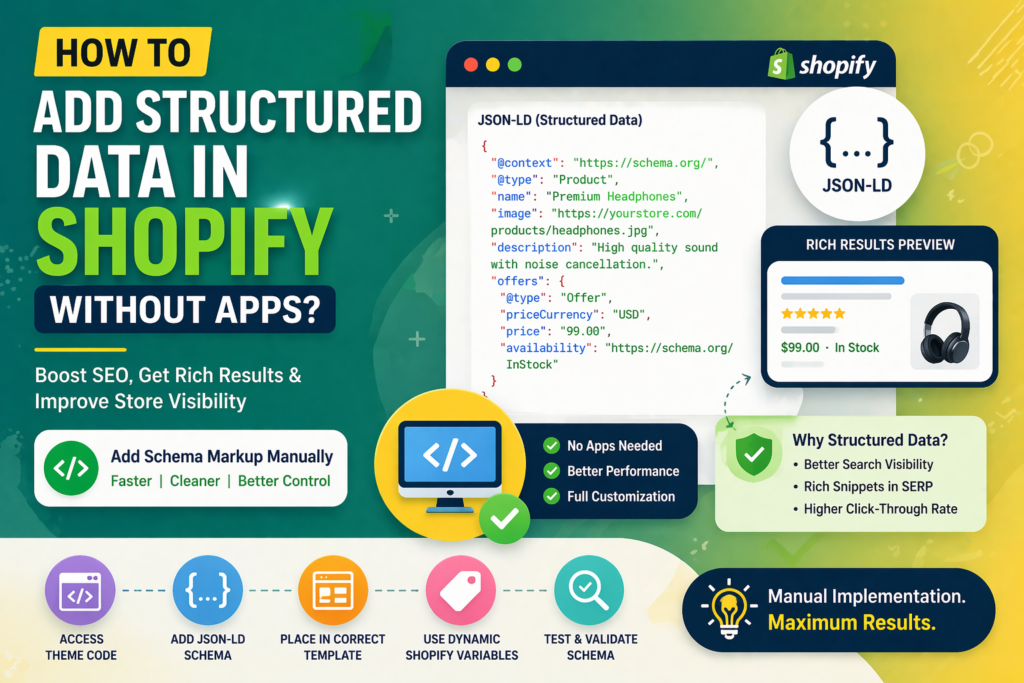
Structured data is one of the most powerful ways to improve your Shopify store’s visibility in search results. It helps search engines understand your content better and enables rich results such as product ratings, prices, FAQs, and more.
While many store owners rely on apps, you can add structured data manually for better control, performance, and cleaner code. This guide explains how to implement structured data in Shopify without using any apps.
What is Structured Data?
Structured data is a standardized format used to provide information about a page and classify its content. It is typically written in JSON-LD format and helps search engines display enhanced results.
- Improves search visibility
- Enables rich snippets
- Enhances user experience
- Helps search engines understand content context
Why Add Structured Data Without Apps?
Using apps may seem convenient, but manual implementation offers several advantages.
- Better performance (no extra scripts)
- Full control over markup
- Avoids unnecessary code bloat
- Customised implementation for your store
Types of Structured Data for Shopify
Different pages require different schema types.
- Product Schema: For product pages (price, availability, reviews)
- Breadcrumb Schema: For navigation structure
- FAQ Schema: For question-answer sections
- Article Schema: For blog posts
Step 1: Access Shopify Theme Code
To add structured data manually, you need to edit your theme files.
- Go to Online Store → Themes
- Click “Edit Code”
- Locate relevant template files (product, collection, or theme.liquid)
Step 2: Add JSON-LD Structured Data
JSON-LD is the recommended format for structured data. Below is a basic example for a product page:
{
  "@context": "https://schema.org/",
  "@type": "Product",
  "name": "{{ product.title }}",
  "image": "{{ product.featured_image | img_url: 'large' }}",
  "description": "{{ product.description | strip_html }}",
  "sku": "{{ product.sku }}",
  "offers": {
    "@type": "Offer",
    "priceCurrency": "{{ shop.currency }}",
    "price": "{{ product.price | money_without_currency }}",
    "availability": "https://schema.org/InStock"
  }
}
Wrap this code inside a <script type="application/ld+json"> tag before adding it to your theme.
Step 3: Place Code in Correct Template
Placement is important for accurate implementation.
- Add product schema inside product template
- Add article schema inside blog template
- Add global schema inside theme.liquid if needed
Step 4: Add Dynamic Shopify Variables
Shopify allows you to use Liquid variables to generate dynamic structured data.
- Use {{ product.title }} for product name
- Use {{ product.price }} for pricing
- Use {{ shop.name }} for store information
This ensures your schema updates automatically with your store content.
Step 5: Test Your Structured Data
Always test your implementation to avoid errors.
- Use Google Rich Results Test
- Check for warnings or missing fields
- Validate structured data regularly
Best Practices for Structured Data
- Ensure data matches visible content
- Use accurate and complete information
- Avoid duplicate schema markup
- Update schema when content changes
- Follow search engine guidelines
Common Mistakes to Avoid
- Incorrect JSON formatting
- Using outdated schema types
- Adding irrelevant or misleading data
- Duplicating schema across pages
- Not testing after implementation
Advanced Tip: Combine Multiple Schema Types
You can enhance SEO by combining multiple structured data types.
- Product + Review schema
- FAQ + Product schema
- Breadcrumb + Product schema
This creates richer search results and improves visibility.
Conclusion
Adding structured data in Shopify without apps gives you full control over your SEO strategy. By using JSON-LD, dynamic variables, and proper placement, you can create optimized pages that stand out in search results.
Focus on accuracy, consistency, and regular testing to get the best results from structured data implementation.
Frequently Asked Questions
Can I add structured data in Shopify without apps?
Yes, you can manually add structured data by editing theme files and using JSON-LD format.
Is JSON-LD the best format for structured data?
Yes, JSON-LD is recommended because it is easy to implement and supported by major search engines.
Does structured data improve rankings?
Structured data does not directly boost rankings but improves visibility and click-through rates.
Where should I place structured data code?
It should be placed in relevant theme templates such as product, blog, or theme.liquid files.
Do I need to update structured data regularly?
Yes, structured data should be updated whenever your content or product details change.